

Let me be straight with you. When I first started hearing about AI tools for freelancers I was skeptical. Not because I doubted the technology but because I had seen too many shiny tools promise to change everything and deliver almost nothing. But here is what actually happened when I started integrating AI into my freelancing workflow — I got three to four hours back every single day. Not from cutting corners. From eliminating the repetitive low value tasks that were quietly eating my most productive hours without me even noticing.
The best AI tools for freelancers in 2026 are not about replacing your skills or your thinking. They are about multiplying your output so that the skills and thinking you already have can go further faster. If you are a freelance writer developer designer marketer or consultant — there is an AI tool in this list that will genuinely change how you work this week.
Here is what actually works.
Why Freelancers Specifically Benefit from AI Tools in 2026?
Most AI tool roundups are written for teams and companies. But freelancers have a completely different relationship with their time than employees do. When you are freelancing every hour is either billable or it is not. Every hour you spend on admin outreach proposals and busywork is an hour you are not spending on client work or business growth.
That asymmetry is exactly why the best AI tools for freelancers in 2026 hit differently for solopreneurs than for anyone else. You are not saving the company time. You are saving your own time — which translates directly into either more income from existing clients or more capacity to take on additional work.
The freelancers who are quietly pulling ahead right now are not necessarily more talented than you. They have just built smarter workflows. If you are just getting started check out our complete guide on how to start freelancing with AI in 2026 — covering every step from choosing your niche to landing your first client using AI tools.
What Makes an AI Tool Actually Worth Your Time?
Before we get into specific tools let me save you from a trap I fell into early on — downloading every AI tool that crossed my feed and spending more time learning tools than doing actual work.
Here is the filter I now apply before adding any AI tool to my workflow:
Does it eliminate a task I genuinely hate or that takes too long? Does it produce output I can actually use with minimal editing? Does it integrate with tools I already use? Does it cost less than the time it saves me?
If the answer to all four is yes — it earns a spot in my workflow. If not — it gets deleted regardless of how impressive the demo looked.
Every tool in this list has passed that filter.
The Best AI Tools for Freelancers in 2026
1. ChatGPT — Your All-Purpose AI Assistant
Best for: Writing proposals, drafting emails, brainstorming ideas, creating content outlines, client communication
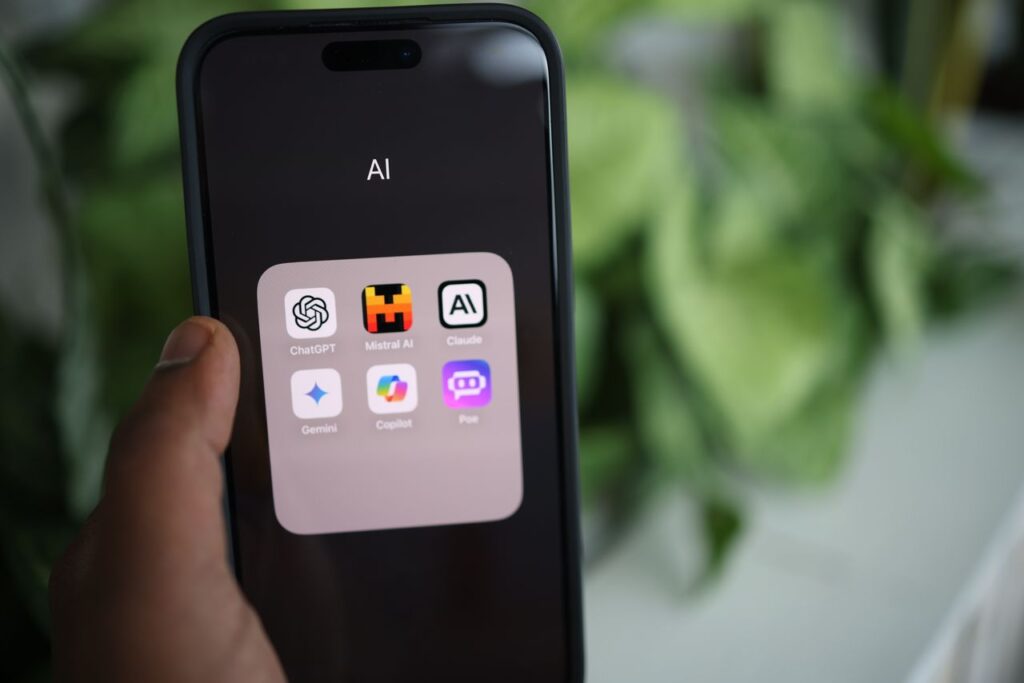
ChatGPT from OpenAI remains the most versatile AI assistant available for freelancers in 2026. The reason it stays at the top of every best AI tools for freelancers list is not because it is the best at any single thing — it is because it is genuinely excellent across such a broad range of tasks that most freelancers encounter daily.
I use ChatGPT every single morning. Not for writing articles in full — that would strip the personal voice that clients pay for. I use it for the surrounding work. Drafting a first pass at a client email when I am not sure how to phrase something diplomatically. Generating five different angles for an article before I decide which one to pursue. Creating a rough proposal structure that I then build out with my own knowledge and experience.
ChatGPT’s current models can handle complex multi-step tasks, maintain context across longer conversations, and assist with work that requires planning, analysis, drafting, and refinement. Because OpenAI regularly updates the models available in ChatGPT, freelancers can focus more on choosing the right workflow and prompting approach than relying on a particular model name.
Free plan available: Yes — with usage limits
Paid plan: ChatGPT Plus at $20/month
2. Claude by Anthropic — The Best AI for Long-Form and Nuanced Work
Best for: Long-form writing, complex analysis, nuanced client communication, research synthesis
If ChatGPT is your Swiss Army knife Claude is your precision instrument. Claude by Anthropic has become my go-to AI tool for any task that requires genuine nuance depth and the kind of careful thinking that most AI tools rush past in their eagerness to produce output quickly.
The difference shows most clearly in long-form writing tasks and in situations where getting the tone exactly right genuinely matters. Claude tends to write with more natural sentence variation less reliance on clichéd AI phrasing and a more careful approach to nuanced topics — particularly useful for freelancers working in sensitive industries or writing for sophisticated audiences who would immediately notice generic AI output.
Claude’s extended context window means you can paste an entire brief a client conversation thread and background research into one conversation and receive responses that genuinely incorporate all of it — rather than the truncated context responses that smaller context window alternatives produce when projects get complex.
Free plan available: Yes
Paid plan: Claude Pro at $20/month
3. Gemini — Google’s AI That Lives Inside Your Workflow
Best for: Research, summarizing information, integration with Google Workspace, fact checking
Gemini from Google has one significant advantage over every other AI tool on this list — it lives inside Google Workspace. If your freelancing workflow runs through Gmail Google Docs Google Sheets and Google Drive the way most freelancers’ workflows do Gemini’s deep integration with these tools makes it uniquely useful for the document and email work that freelancers do throughout every working day.
Summarizing a long email thread before a client call. Drafting a Google Doc proposal directly in the document without switching to another tool. Pulling relevant information from your Drive files into a new document without copy pasting across tabs.
The research capability is also genuinely strong — Gemini’s connection to Google Search means it can pull current information rather than relying solely on training data with a knowledge cutoff. For freelancers who need to stay current on industry developments this real-time information access provides an advantage that offline trained models cannot match.
Free plan available: Yes
Paid plan: Gemini Advanced included in Google One AI Premium at $19.99/month
4. Notion AI — Intelligence Built into Your Second Brain
Best for: Project management, knowledge organization, meeting notes, workflow documentation
Notion was already the best tool for freelancers who wanted to build a genuine second brain for their business — client databases project trackers content calendars personal knowledge management. Notion AI adds an intelligence layer on top of that existing structure that makes the whole system significantly more useful.
The specific use case that changed my workflow most dramatically was meeting and call notes. After a client call I paste my rough notes into Notion and ask the AI to turn them into a structured action list with priorities deadlines and key decisions captured. What used to take 20 minutes of post-call organization now takes about 90 seconds.
For freelancers building out their business systems Notion AI helps you write SOPs summarize research create content templates and organize the accumulated knowledge of your business in ways that make onboarding new clients faster and delivering consistent quality more effortless.
Free plan available: Yes — Notion free with limited AI credits
Paid plan: Notion AI add-on at $10/month
5. Grammarly — Still the Best AI Editing Tool for Professional Communication
Best for: Editing all written communication, tone adjustment, professional polish
Grammarly has evolved significantly beyond its grammar checking origins. The current version uses AI to analyze tone clarity engagement and delivery alongside the spelling and grammar corrections it built its reputation on. For freelancers whose entire business is communicated through written words — proposals emails articles reports — having every piece of written communication reviewed before it leaves your screen is genuinely valuable.
The tone detection feature is the capability I use most frequently. Paste a client email you are about to send and Grammarly tells you whether it reads as confident friendly formal or direct — and suggests adjustments if the tone does not match what you intended. For freelancers navigating the delicate balance of professional confidence and personable communication this tone feedback prevents the misread emails that create unnecessary client tension.
The business writing suggestions also flag the specific patterns that make professional writing feel weak — excessive passive voice hedge words like somewhat and rather that undermine confident communication and unnecessary filler phrases that dilute the directness that clients respect and respond to.
Free plan available: Yes — with core editing features
Paid plan: Grammarly Premium at approximately $12/month annually
6. Otter.ai — Never Manually Transcribe a Meeting Again
Best for: Meeting transcription, interview notes, client call documentation
If you conduct client discovery calls strategy sessions or interviews as part of your freelancing work Otter eliminates one of the most time consuming post-meeting tasks in any knowledge worker’s workflow — transcription and note organization.
Otter joins your Zoom Google Meet or Microsoft Teams calls automatically and produces a searchable transcript within minutes of the call ending. The AI summary feature pulls the key points action items and decisions from the full transcript — giving you the executive summary you actually need without reading through an hour of raw transcript to find the three important things that were said.
The searchable archive of all your past calls becomes genuinely valuable over time — being able to search across months of client conversations to find when a specific topic was discussed or what was agreed on a particular point eliminates the he said she said ambiguity that client relationships occasionally produce.
Free plan available: Yes — 300 minutes monthly
Paid plan: Otter Pro at $16.99/month
7. Canva AI — Design Without a Designer
Best for: Social media graphics, proposal visuals, portfolio presentations, marketing materials
Not every freelancer needs to produce visual content regularly. But for those who do Canva’s AI features have dramatically lowered the skill barrier to producing professional looking visual materials without a design background or a design budget.
The Magic Design feature generates complete design layouts from a text description — useful for freelancers who need a proposal cover page a service brochure or a social media template but do not have the time or inclination to build from scratch. The Magic Write feature helps with copy directly in the design canvas — writing headline variations caption options and content suggestions without leaving the design tool.
The background remover image enhancer and AI image generation features reduce the time spent sourcing and editing visual assets from hours to minutes — the kind of time saving that adds up significantly across a month of regular visual content production.
Free plan available: Yes — with core features
Paid plan: Canva Pro at $15/month
8. Perplexity AI — AI Search That Actually Cites Sources
Best for: Research, fact verification, industry trend monitoring, competitive analysis
Perplexity is the AI tool that most freelancers have not discovered yet but that solves a genuine problem with using standard AI chatbots for research — the absence of citations and the inability to verify where the information comes from.
Perplexity answers research questions with cited sources that you can click through to verify — combining the conversational query interface of AI chat with the source accountability of traditional search in a way that makes it significantly more trustworthy for research that will inform client work or published content.
For freelancers writing on specialist topics staying current on industry developments or conducting competitive research for clients Perplexity provides the research starting point that standard AI chatbots cannot reliably provide due to training data limitations and hallucination risks on specific factual questions.
Free plan available: Yes
Paid plan: Perplexity Pro at $20/month
How to Build Your AI Tool Stack Without Overwhelming Yourself
The biggest mistake freelancers make with AI tools is trying to implement everything at once. Here is the simple approach I recommend:
Start with one AI assistant — ChatGPT or Claude — and use it exclusively for one week across every task it can help with. Let yourself get genuinely comfortable with prompting it effectively before adding anything else.
Week two add Grammarly to every piece of written communication you send. Week three evaluate whether you need meeting transcription Notion AI or visual creation tools based on the actual tasks your specific freelancing work involves.
Build your stack around your actual workflow not around the most impressive tools list you read online. And once your tools are in place make sure you are using them as effectively as possible — check out our complete AI prompts library for freelancers covering every workflow situation from proposals and outreach to LinkedIn and content creation.
The Honest Truth About AI Tools for Freelancers
AI tools will not make you a better freelancer if your fundamentals are weak. They will not replace client relationships strategic thinking or the specific expertise that clients pay premium rates for. What they will do is remove the friction from everything surrounding that expertise — the emails the admin the research the drafting the editing the organization — so that your expertise gets deployed more efficiently and with less exhaustion.
The best freelancers in 2026 are not the ones who are best at using AI. They are the ones who have figured out how to combine their genuine human expertise with AI efficiency in ways that deliver better results faster — and that is a genuinely learnable skill that pays compounding dividends the more deliberately you develop it.
Want to skip the trial and error phase of building your AI freelancing workflow? AI Freelancer Toolkit has the exact prompts templates and workflow systems that took months of testing to develop — ready for you to use from day one.

Frequently Asked Questions
Q: Are AI tools for freelancers worth the subscription cost?
A: For most freelancers yes — provided you use them consistently. A $20/month AI assistant that saves you even one hour per week at a $50 hourly rate produces a 10x return on investment in the first month. The key is consistent daily use rather than occasional dipping in when you remember to.
Q: Will clients know if I use AI tools in my work?
A: Only if you let the AI write the final output without any human editing and personalization. AI tools used as assistants for drafting research and editing rather than as ghostwriters produce work that reflects your voice and expertise — clients cannot tell the difference and frankly should not need to given that writers have used spell check grammar tools and research assistants for decades without disclosure requirements.
Q: Which AI tool is best for complete beginners to freelancing?
A: Start with ChatGPT free plan. It is the most intuitive to use the most widely documented with tutorials and examples and the most versatile across the broad range of tasks that new freelancers encounter before their workflow specializes around specific recurring work types.
Q: Can I use multiple AI tools at the same time?
A: Absolutely — most experienced freelancers use two to four AI tools regularly with different tools serving different workflow functions. The key is assigning each tool a clear role rather than using all of them for the same tasks which creates confusion rather than efficiency.
Q: Are free AI tool plans good enough for freelancers?
A: Free plans are good enough to start and to evaluate whether a tool genuinely improves your workflow before committing to paid plans. Once you are using a tool daily and it is clearly improving your output and efficiency the paid plan typically provides enough additional capability to justify the cost many times over.
Conclusion
The best AI tools for freelancers in 2026 are the ones you actually use consistently in your real daily workflow — not the ones with the most impressive feature lists or the loudest marketing. Start with one tool this week use it across everything it can help with and evaluate honestly whether it is saving you meaningful time and improving your output quality.
The freelancers who will look back on 2026 as the year everything changed for their business are the ones who decided to figure out AI tools now rather than waiting until the competitive advantage of early adoption has fully closed.
Explore the complete collection of AI-powered freelancing resources at NextGen Freelancer — Our Digital Products — including ready-to-use prompt libraries workflow templates and the systems that make AI freelancing immediately practical rather than theoretically interesting.